Home
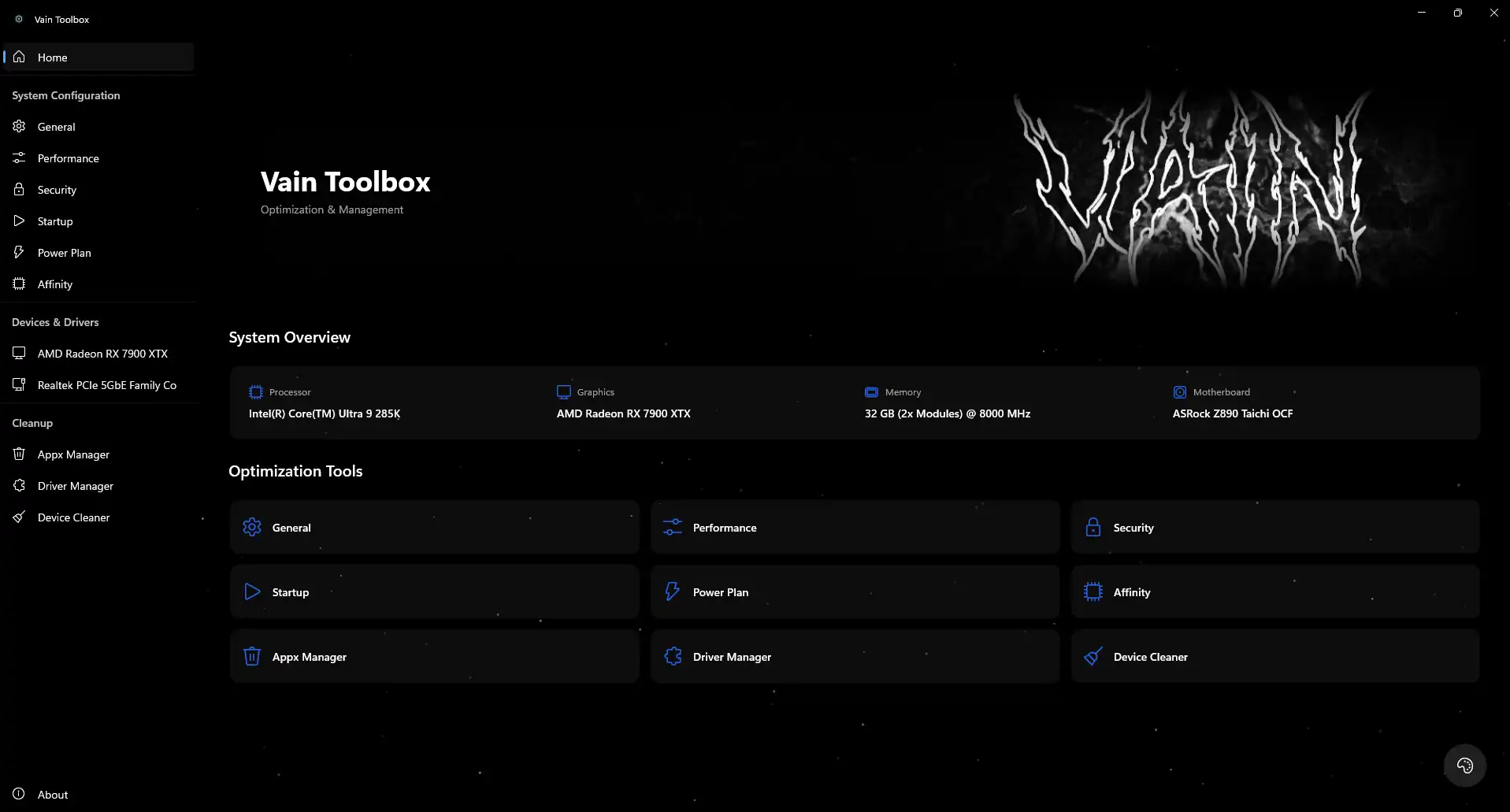
This is the command center of Vain Toolbox. The main screen displays an overview of your
platform in
the
System Overview section.
Below,
you'll find the Optimization Tools grid,
which instantly
takes
you
to specific configuration modules.
Performance
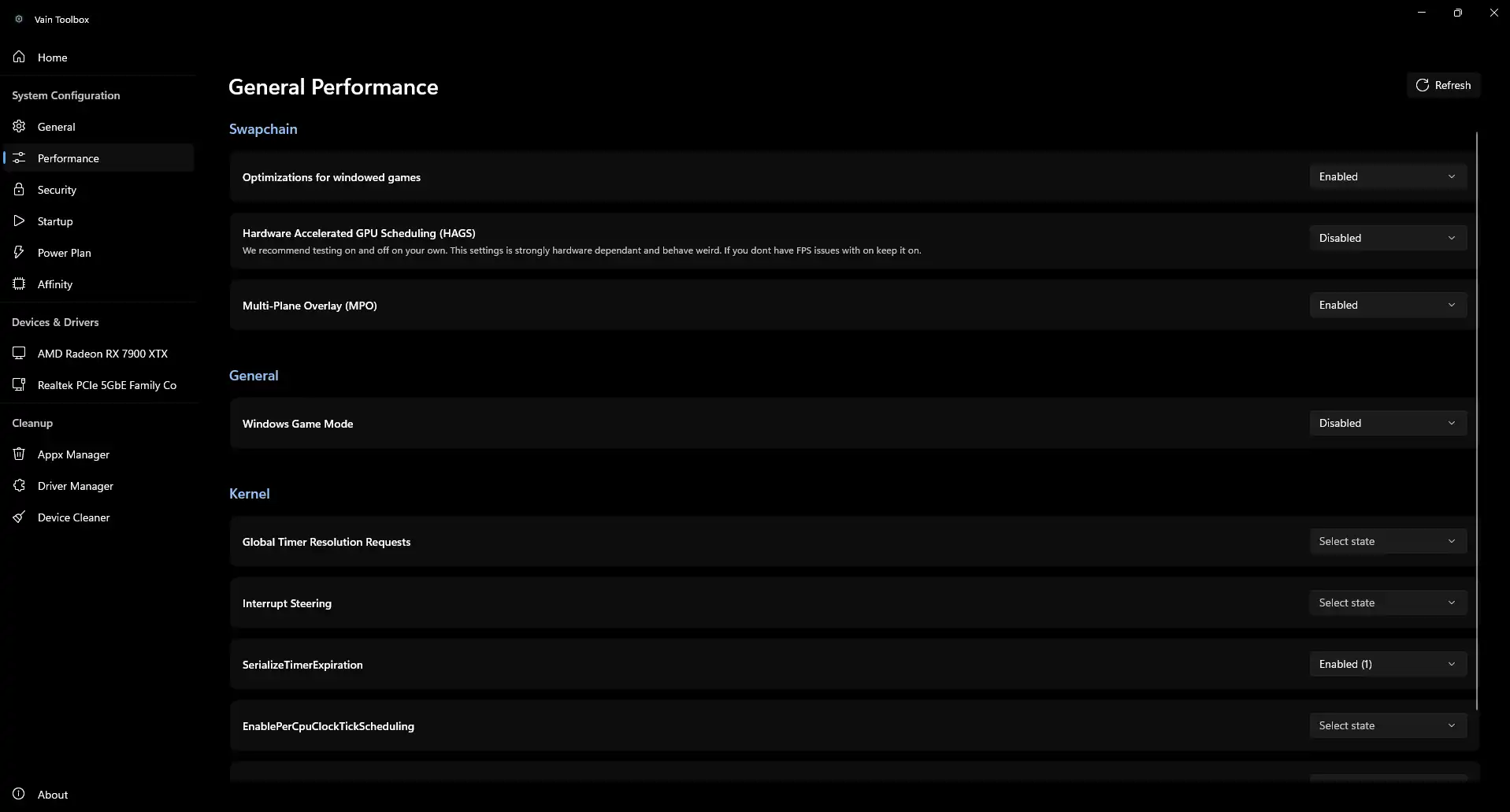
This tab directly affects FPS, frametimes, and Input Lag reduction.
Swapchain: HAGS requires testing on your specific hardware, leave
it
off
unless you need Frame Generation. Multi-Plane Overlay should be disabled if you experience
general
stuttering/flickering.
Kernel: Low-level services like Interrupt
Steering. Leave their default Select state unless you
specifically
know how to manipulate kernel registries.
Security
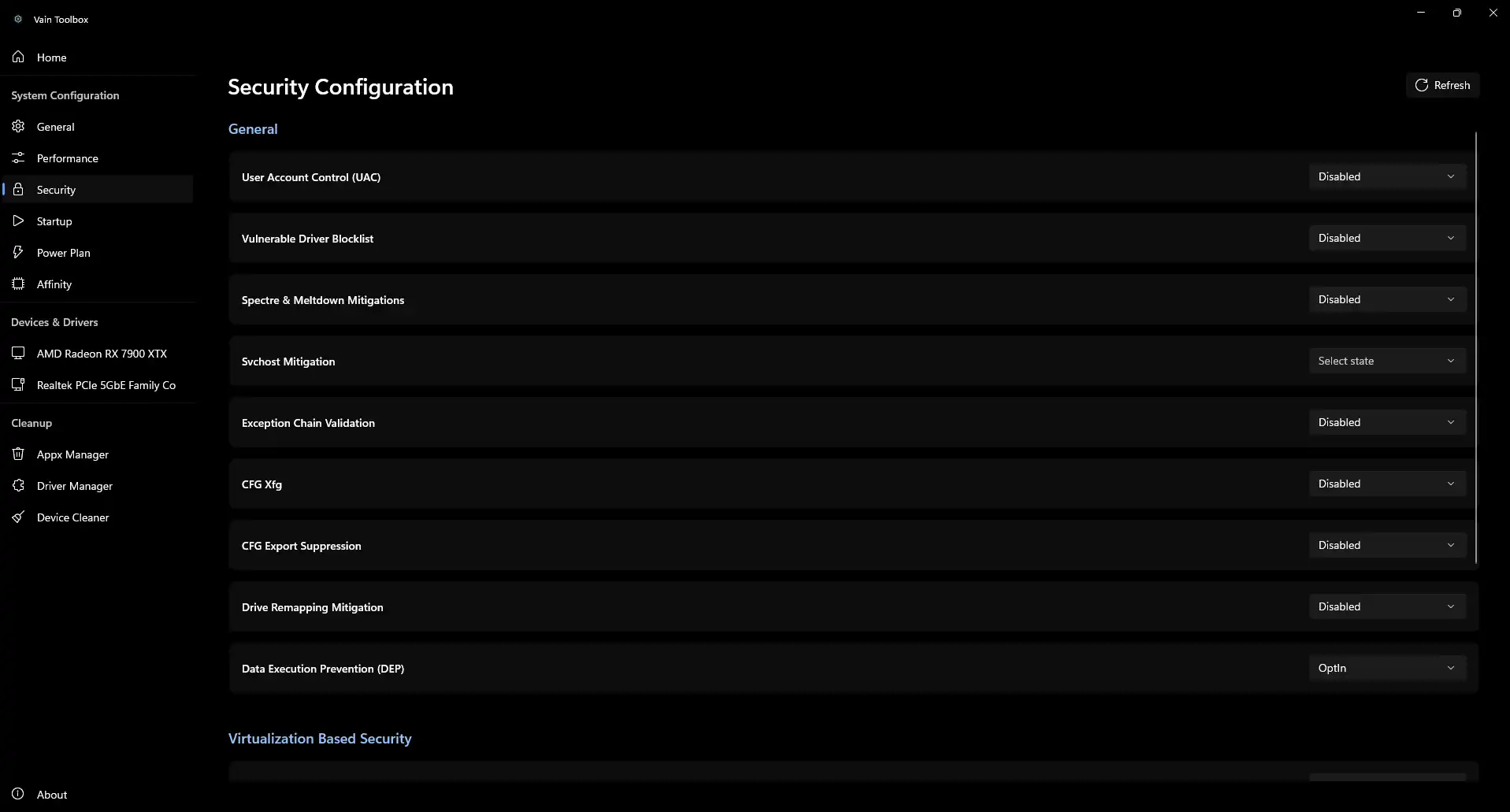
Windows 11 isolation layers consume from 5 to 15% of CPU performance depending on your
CPU.
In this section you can disable Spectre &
Meltdown mitigations and sleep Virtualization Based Security (VBS) / CORE
ISOLATION layers.
Deactivating security unleashes your hardware's full power.
Keep in mind
however, that new games like Riot's Valorant generally do not allow disabling certain CPU
barriers.
Startup
A powerful tool replacing the native Task Manager, revealing startup entries straight from the
HKCU and HKLM Run registries.
Great for manually disabling annoying apps, unnecessary services,
and
resource-heavy
game launchers by simply unchecking the box to save precious megabytes on boot-up.
Power Plan
Deep management of your Power Plans to
ensure
maximum performance without limits.
Here, you can modify hidden Windows power settings such as, deep CPU energy profiles etc. You
can
also import, export, your own powerplan.
VAIN V14 Is set to default power plan for optimal
latency layout.
Affinity (Interrupts)
The Interrupt Management panel is built
for
power users tuning DPC latency.
It displays all your devices (GPU, USB controllers, Audio, NVMe) allowing you to force MSI Mode (Message Signaled Interrupts) and assign high
priority policies to critical hardware. Changing CPU affinities directly here isolates games
from
system bottlenecks, solving notorious frametime spikes.
GPU Configuration
The built-in device manager recognizes your exact Graphics Card model and provides a centralized
GPU Monitoring system.
You can instantly download and update WHQL or Beta drivers straight from the list, or proceed to
the
advanced Overclocking panel to manually tune your
Core
Frequency, adjust voltages, setup custom Fan Curves, and tighten VRAM Memory Timings without
external software.
Network Controller
Ping is everything. Find your Ethernet
Controller in Devices & Drivers to fully strip your networking from unneeded
buffers.
Use the Optimize Adapter button for an automated
tune-up, or manually adjust System-Wide Network Settings such as TCP/UDP Global Parameters and
Receive Offload States to achieve the lowest possible bufferbloat and hitreg delay.
Appx Manager
The first phase of system hygiene. Utilizing the Appx Manager tab lets you manage installed
UWP
packages natively.
Here, you can inspect and force-uninstall built-in telemetry hubs, Windows Store remnants, and
unnecessary bloatware like Xbox overlays or bundled apps. Removing critical components comes
with a
warning, but cleans the OS entirely for maximal minimalism.
Driver Manager
A complete replacement for external driver uninstaller utilities. The Driver Manager securely exports and wipes
out
old driver signatures.
Whether you are struggling with corrupted GPU driver extensions, obsolete HIDClass peripherals,
or
leftover network traces, you can select specific .inf
packages and completely purge them from the host machine to eliminate software conflicts.
Device Cleaner
A dedicated routine to permanently erase ghost hardware. The Device Cleaner pinpoints all disconnected
interfaces.
Over time, plugging in various USB devices or swapping hardware leaves residual registry entries
that can stall the Windows polling cycle. With a single click of Cleanup All, you can safely remove all invisible
'phantom'
devices and restore instantaneous physical input response.